01
What Kaption does
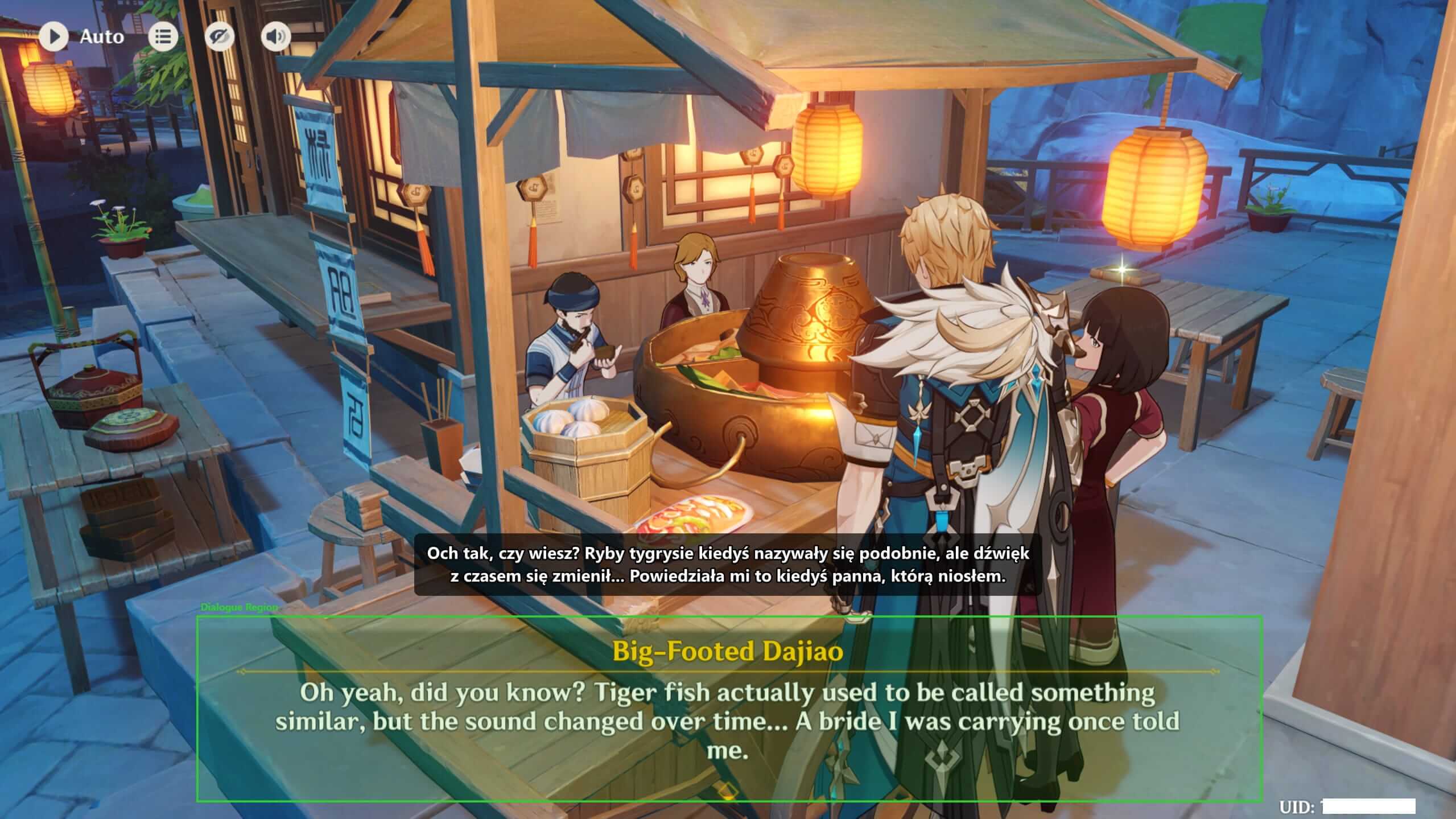
It captures a small region of your screen, reads the text locally, matches the line against a dialogue database, and shows the translation as a desktop overlay.
That overlay is separate from the game. You close Kaption and the game has nothing to undo.
02
What Kaption does not do
It does not inject code, hook the game process, patch files, read memory, automate gameplay, or change your account.
- No game file replacement
- No process hooking
- No memory scanning
- No gameplay automation
03
Why antivirus software sometimes warns about it
If your antivirus flags Kaption, look at what kind of flag it is. Named malware families (Trojan.Generic.XYZ, Ransomware.ABC, etc.) are signature-based — they match known bad code. Heuristic or machine-learning flags (anything with ".ml.score", ".Heur", ".Suspicious") are predictions: the file has features the model has seen in bad files before.
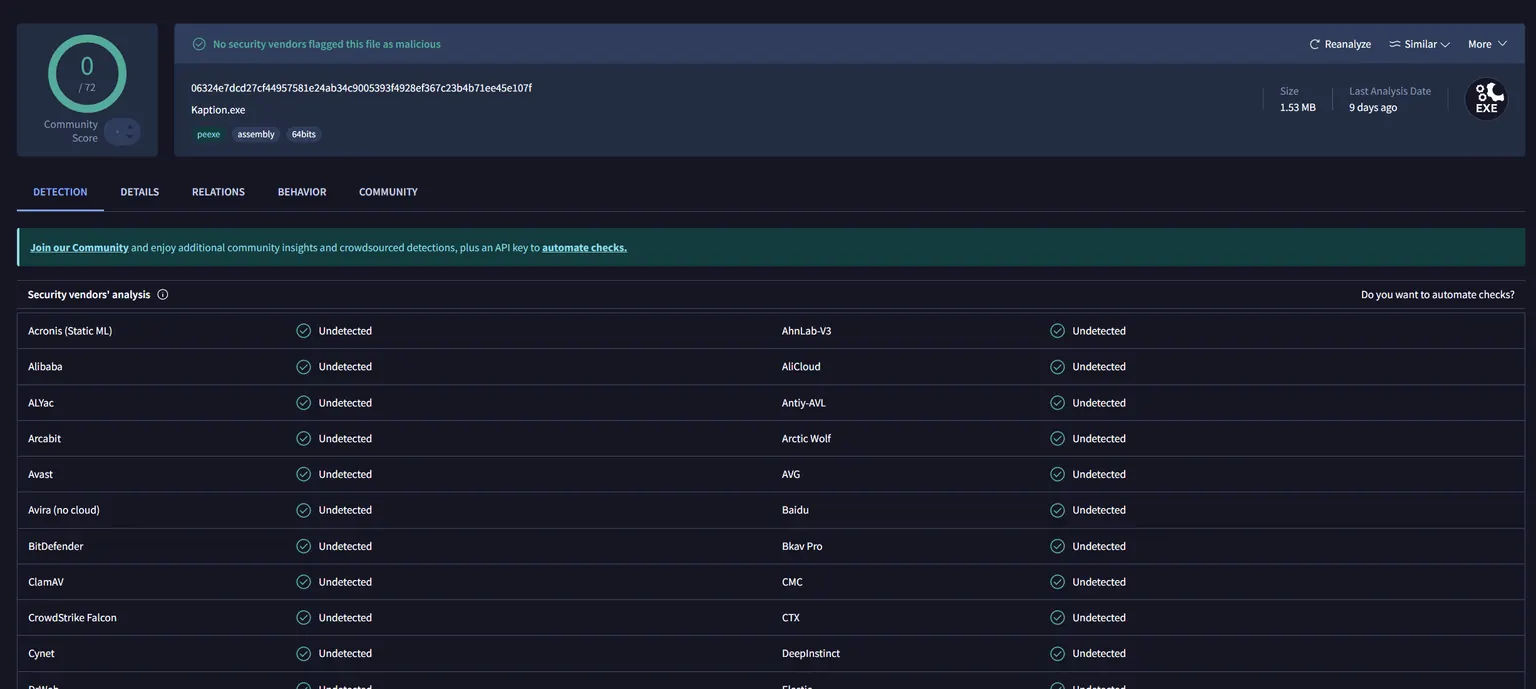
Every release gets scanned on VirusTotal. Microsoft Defender and the other ~70 engines report clean. One ML-based engine (Trapmine) sometimes returns "Malicious.moderate.ml.score" — note the ".ml.score" suffix. That is a heuristic prediction, not a match against known malware.
- Unsigned binary — we have not bought an Authenticode certificate yet (~€400/yr). Every unsigned indie app gets the same penalty from ML scanners.
- Low prevalence — Kaption is in open beta. Reputation telemetry has not seen the hash on enough clean machines to mark it "known good" yet. Every new build resets this counter.
- Installer that extracts nested executables — the auto-updater (Velopack) ships the app as a compressed package inside Setup.exe and unpacks it on first run. That shape looks like a dropper to heuristics, even though it is just an installer.
04
Windows SmartScreen "unknown publisher"
The Setup.exe is not code-signed during open beta, so Windows SmartScreen shows "Microsoft Defender SmartScreen prevented an unrecognized app from starting". Click "More info" → "Run anyway" to continue.
This is the standard Windows UX for any unsigned indie app. Signing with an Authenticode certificate is planned once the beta graduates — that also clears the last ML-based heuristic flags on most antivirus engines.
05
How to verify the file yourself
Download Setup.exe, then right-click → Properties → Digital Signatures (blank during beta — expected) OR compute the SHA-256 hash with PowerShell: Get-FileHash .\Kaption-stable-Setup.exe. The hash must match the one published on the VirusTotal scan linked below.
If the hashes differ, something modified the file between our server and your disk. Email contact@kaption.one and do not run it.
Verification links
Use these links to inspect the desktop client source and verify the release files. Both the setup bootstrapper and the installed executable are linkable by SHA-256 so you can confirm the exact file you downloaded is the one we published.
GitHub
Kaption desktop client on GitHub
- Use for
- Inspect screen capture, OCR, overlay rendering, updates, and app behavior
- Trust level
- Project source repository
- Notes
- The repository may return 404 while it is still private; this link is ready for the public source release.
VirusTotal
Kaption-stable-Setup.exe on VirusTotal
- Use for
- Verify the installer bootstrapper you just downloaded
- Trust level
- Independent — aggregates ~70 antivirus engines
- Notes
- SHA-256: 316aa4d8ac26063822841beaaa89aeef4e25cda4f8a5620e7cd76d382894b1d2
VirusTotal
Kaption.exe (installed binary) on VirusTotal
- Use for
- Verify the app that actually runs after install
- Trust level
- Independent — aggregates ~70 antivirus engines
- Notes
- SHA-256: 06324e7dcd27cf44957581e24ab34c9005393f4928ef367c23b4b71ee45e107f
Microsoft Learn
Microsoft SmartScreen documentation
- Use for
- Understand why Windows warns about unsigned binaries
- Trust level
- Microsoft official
- Notes
- Explains how SmartScreen reputation works and why new signed apps still trigger warnings until they build telemetry.
Questions
Is Kaption affiliated with HoYoverse?
No. Kaption is an independent project and is not endorsed by HoYoverse, Cognosphere, or miHoYo.
Can any third-party tool be guaranteed risk-free?
No responsible project should promise absolute guarantees. What matters is the technical behavior: Kaption reads screen pixels and does not interact with the game process.
Windows SmartScreen warned me — is Kaption dangerous?
No. SmartScreen shows "unknown publisher" because the installer is not code-signed during open beta. Microsoft Defender itself returns clean on VirusTotal. Click "More info" → "Run anyway" to continue. Code signing is planned after beta.
Why does Trapmine flag it as Malicious.moderate.ml.score?
Notice the ".ml.score" suffix — that is a prediction from a machine-learning classifier, not a match against known malware. Three legitimate features of Kaption fit that model: unsigned binary, low prevalence (beta), and an installer that extracts nested executables (Velopack). Microsoft Defender and ~70 other engines on VirusTotal mark the file clean.
How do I verify the file I downloaded is the right one?
Right-click Setup.exe → Properties, or run Get-FileHash .\Kaption-stable-Setup.exe in PowerShell. The SHA-256 must match what is published on our VirusTotal link. If it differs, do not run the file and email contact@kaption.one.
Has anyone been banned for using Kaption?
No reports. There is nothing for anti-cheat to detect because Kaption never interacts with the game process — no injection, no hooking, no memory reads. It is technically the same class of tool as Windows Snipping Tool plus OCR software.
More guides
 Source and security
 Kaption source code: what is public and how to audit it
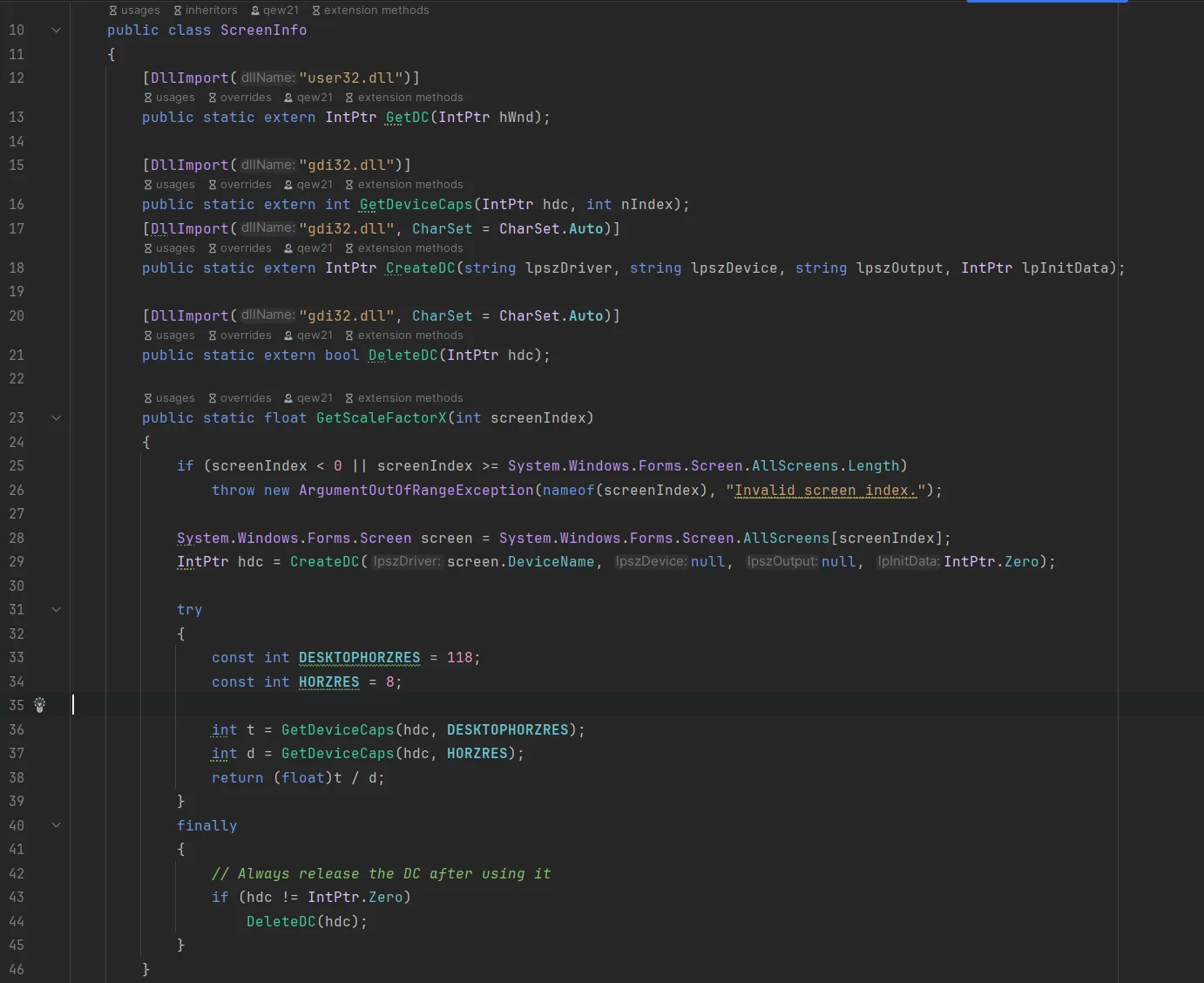
Kaption is moving the desktop client to a source-available AGPL-3.0 repository so users can inspect screen capture, OCR, updates, crash reporting, and licensing behavior.
 Setup
Setup How to set up Kaption from zero
Install Kaption, open your Hoyoverse game, choose the dialogue region, and check that the subtitle overlay stays out of the OCR area.
 Genshin Impact
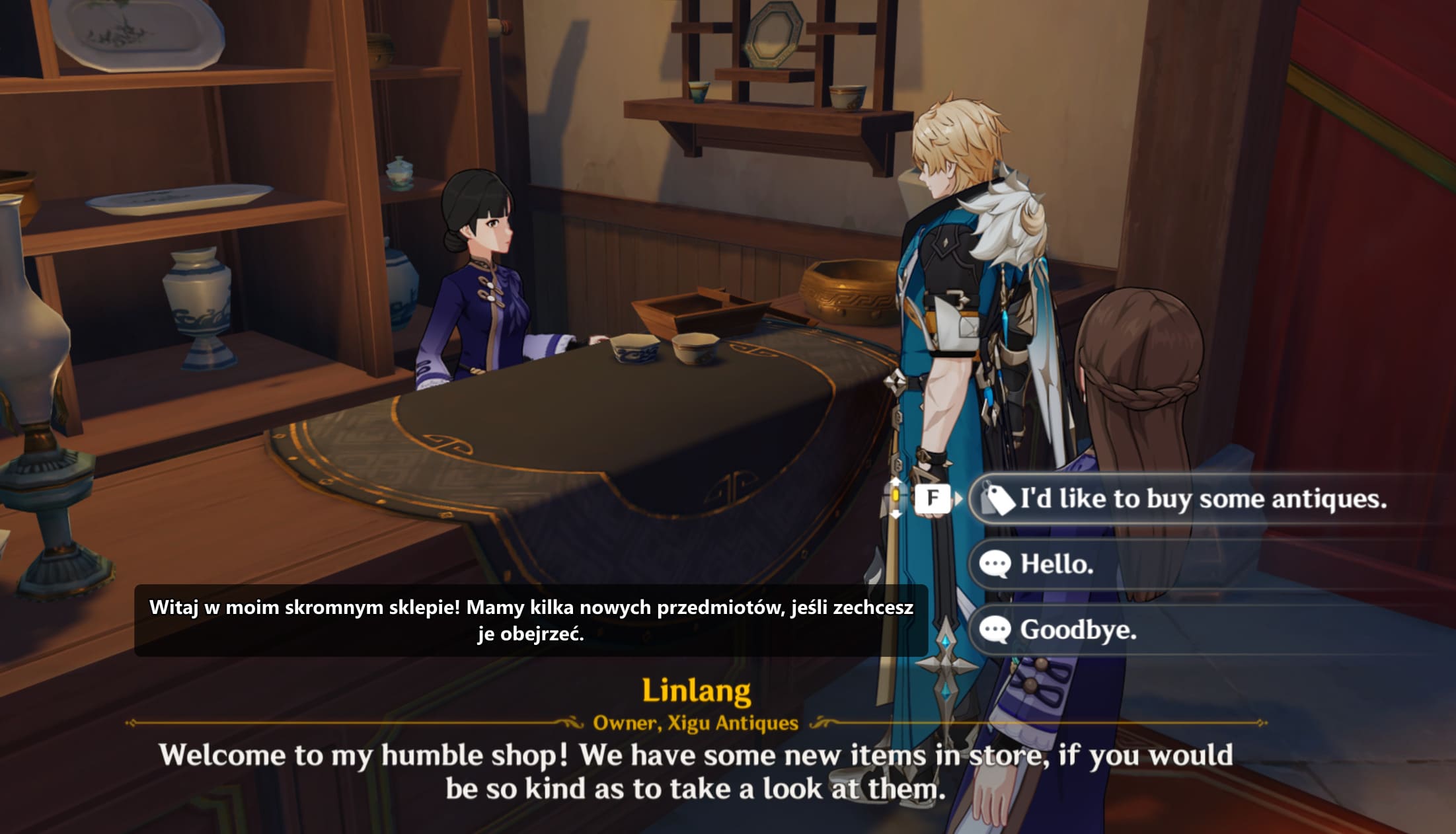
 Genshin Impact translator overlay for Polish subtitles
Use Kaption as a Genshin Impact subtitle translator. Read quests, events, NPC dialogue, choices, and UI text in Polish without mods.