01
Why we are opening the client source
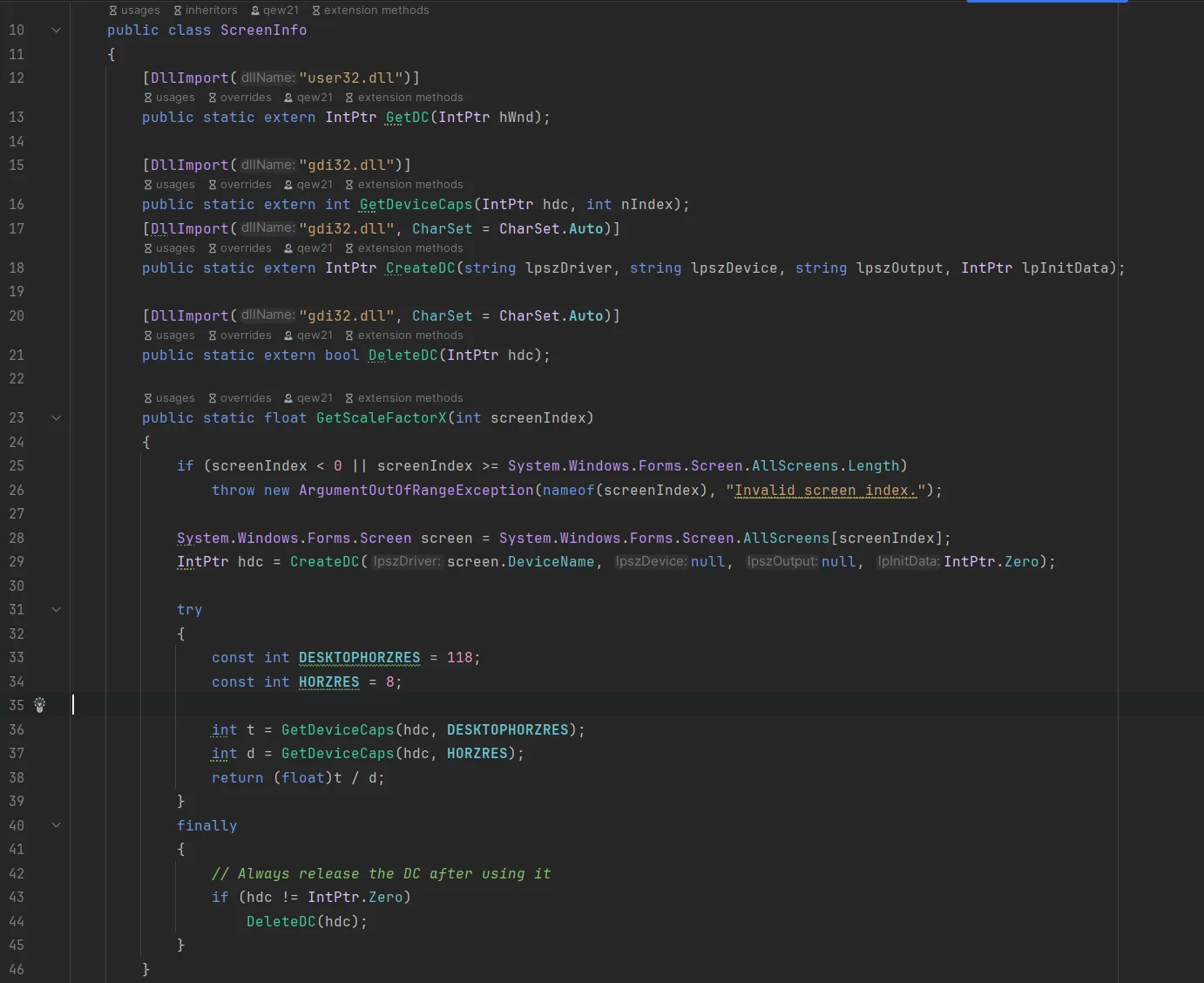
Kaption captures a user-selected region of the screen, runs OCR locally, matches the text against a dialogue database, and draws translated subtitles in a separate overlay. That is safe by design, but it is still reasonable for users to ask for proof.
Making the desktop client source available gives that proof a place to live. Anyone can inspect the capture path, OCR code, update checks, crash reporting integration, licence calls, and local configuration handling instead of trusting a black box.
02
What you can verify in the repository
The useful audit is not just "is the code online?" It is whether the public code explains the behavior users care about before running an installer.
Start with the desktop project and the service folders. The code shows how Kaption keeps itself outside the game process and why the app behaves like OCR plus a desktop overlay, not like a mod.
- Screen capture reads pixels from the selected desktop region.
- OCR runs locally through the bundled OCR runtime; screenshots are not uploaded for translation.
- Translation matching uses local dialogue data rather than cloud text recognition.
- The overlay is a separate WPF window and does not patch game files.
- Network calls are limited to app services such as login, licence checks, update metadata, and optional crash reporting.
03
What is not included
Source availability is scoped to the desktop client. It does not mean every operated service behind Kaption is public.
The official API, production release pipeline, deployment secrets, and proprietary translation packs are operated separately by Kaption. That boundary matters: users can audit the client behavior, while security reports about the hosted service still go through the security policy.
- Hosted backend internals and production credentials are not public.
- Official release packaging and deployment automation are controlled by Kaption.
- Licensed translation dictionaries and distribution packages are not a free content dump.
- If you fork the project, please ship under your own name and icon so users do not mistake your build for the upstream one.
04
How to read the code without being a developer
You do not need to understand every C# class to get value from the repository. Read the README first, then look for the folders that match the question you have.
If your question is "does it touch the game?", inspect capture, rendering, and network code. If your question is "what leaves my PC?", inspect the API client, crash reporting, and update service paths.
- Capture code: how screen pixels are read.
- OCR and translation services: how text is recognized and matched.
- Rendering services and WPF views: how subtitles are drawn.
- Network services: which API calls exist and why.
- Security policy: where to report anything exploitable privately.
05
Forks, AGPL, and commercial use
The public client code is offered under AGPL-3.0, with a commercial licence option for closed-source or commercial products that cannot comply with AGPL terms.
If you publish a fork, keep the source available under the required licence terms and use a different name and icon. That protects users from confusing unofficial builds with the official Kaption installer.
Useful links
These are the places to check when you want to audit the client, understand the licence, or report a security issue.
GitHub
Kaption source repository
- Use for
- Read the desktop client source when the public switch is enabled
- Trust level
- Canonical repository controlled by the Kaption author
- Notes
- Repository URL may remain private until the source release is switched on.
Licence
Kaption licence overview
- Use for
- Understand AGPL-3.0, the commercial option, and fork obligations
- Trust level
- Project legal text
- Notes
- Use this before redistributing a fork or reusing code in another product.
Security
Security and VirusTotal scans
- Use for
- Check current hashes, scan links, SmartScreen notes, and reporting contact
- Trust level
- Maintained by Kaption for users and researchers
- Notes
- Source review complements file hashes and scan reports; it does not replace them.
What to check before you trust a build
Source availability is most useful when you connect it to a concrete verification habit.
- Read the current release hashes on the security page and compare them with your downloaded file.
- Inspect network code if you care about what leaves your computer.
- Inspect capture and rendering code if you care about whether Kaption touches the game process.
- Use the official installer unless you intentionally build from source and understand the tradeoffs.
- Report suspected vulnerabilities privately through security@kaption.one or GitHub private advisories.
Questions
Is the whole Kaption service open source?
No. The desktop client source is being made available under AGPL-3.0, with a commercial licence option. The hosted API, release pipeline, production secrets, and proprietary translation packs are operated separately by Kaption.
Can I build my own copy?
Yes. The README describes how to build the Windows desktop client from source. Official support, updates, and published hashes apply to official releases; a self-built copy is your own build.
Does source availability prove the official installer is safe?
Not by itself. It gives users and researchers something to audit. For the actual file you download, still compare SHA-256 hashes and check the VirusTotal links on the security page.
Can I publish a fork called Kaption?
Please don't — pick your own name and icon so people don't mistake your fork for the upstream build (which would route bug reports and support questions to the wrong place). We're not claiming any exclusive rights to the "Kaption" name, just asking you to be considerate about user confusion.
What if I find a vulnerability while reading the code?
Email security@kaption.one or open a private GitHub security advisory. Do not file a public issue for anything exploitable.
More guides
 Safety
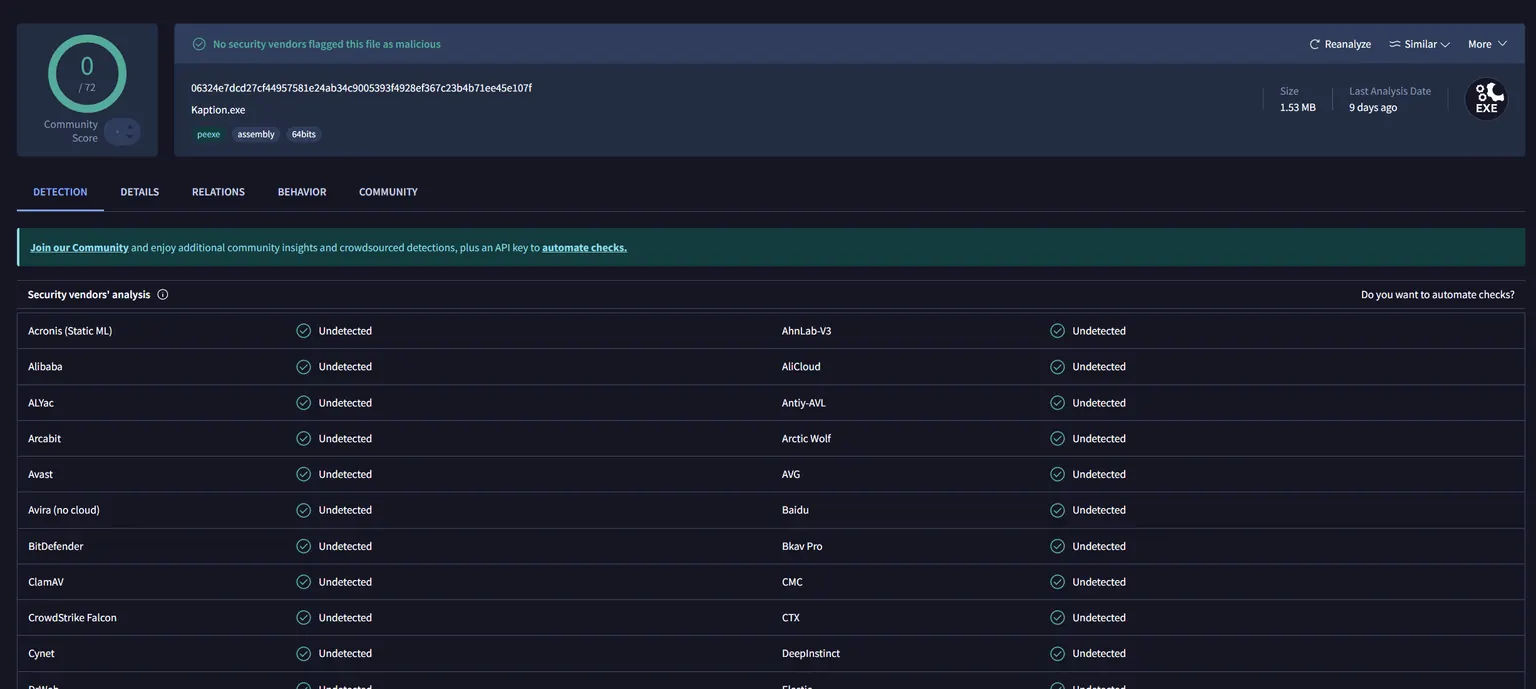
 Is Kaption safe to use with Genshin Impact and Honkai: Star Rail?
Kaption reads screen pixels and shows a subtitle overlay. It does not modify game files, inject code, hook processes, or read game memory. Every release is scanned on VirusTotal.
 Setup
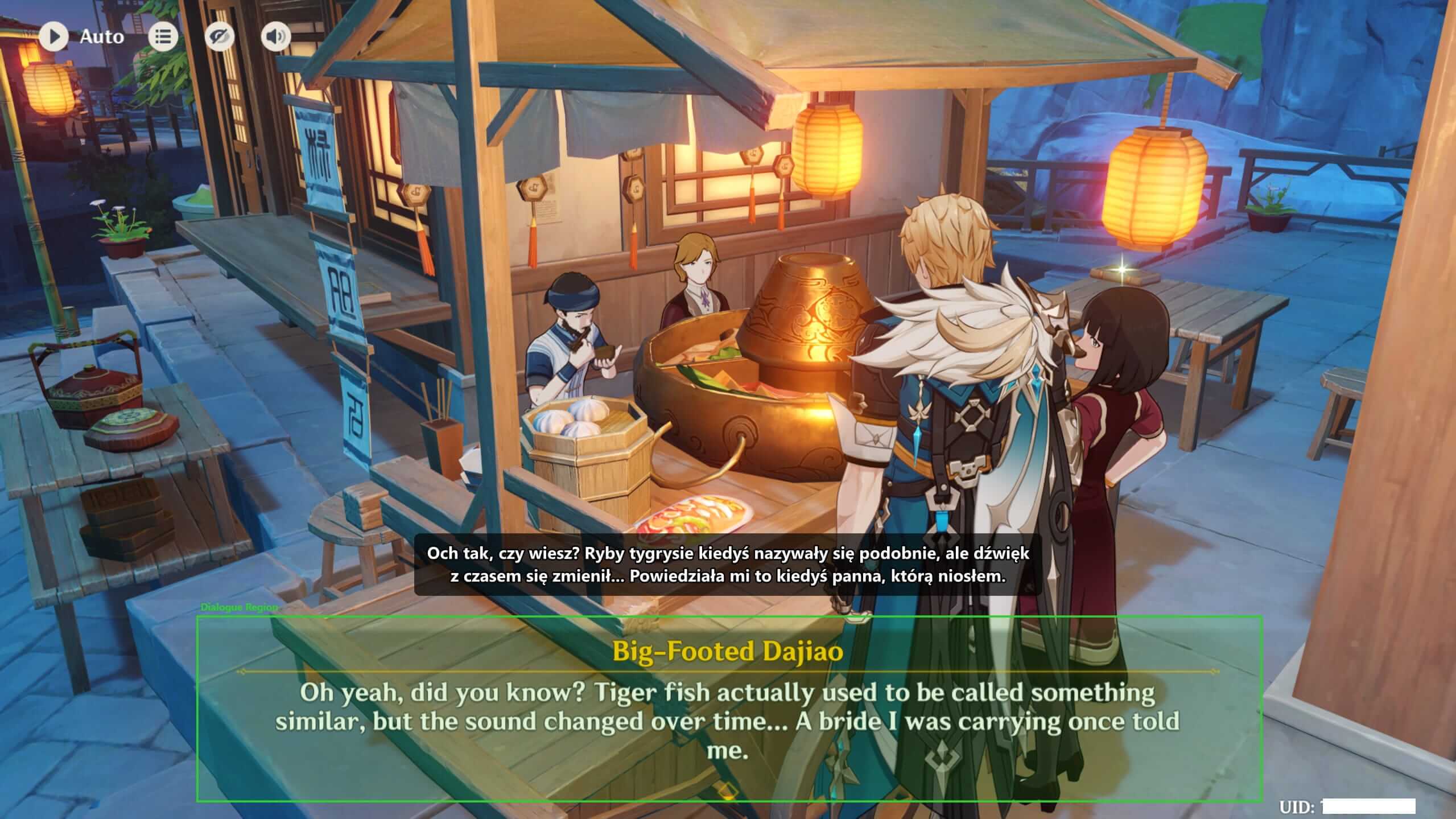
Setup How to set up Kaption from zero
Install Kaption, open your Hoyoverse game, choose the dialogue region, and check that the subtitle overlay stays out of the OCR area.
 News and leaks
 HoYoverse leaks guide: check Genshin and Star Rail rumors without spoilers
How to follow Genshin Impact leaks, Honkai: Star Rail leaks, banner rumors, beta changes, and patch news without spreading spoilers or treating rumors as facts.